Procreate for the stencil.
Taddoo for the rest.

Linktree for artists, Tap to Pay, consent forms, requests, bookings, client reminders, deposits and bookkeeping. All in one app.
Your app, your way
Your booking flow, your rules. Turn on what you need, leave the rest off. Only want your bookkeeping done? Keep Link in Bio off. DMs keep working as before.
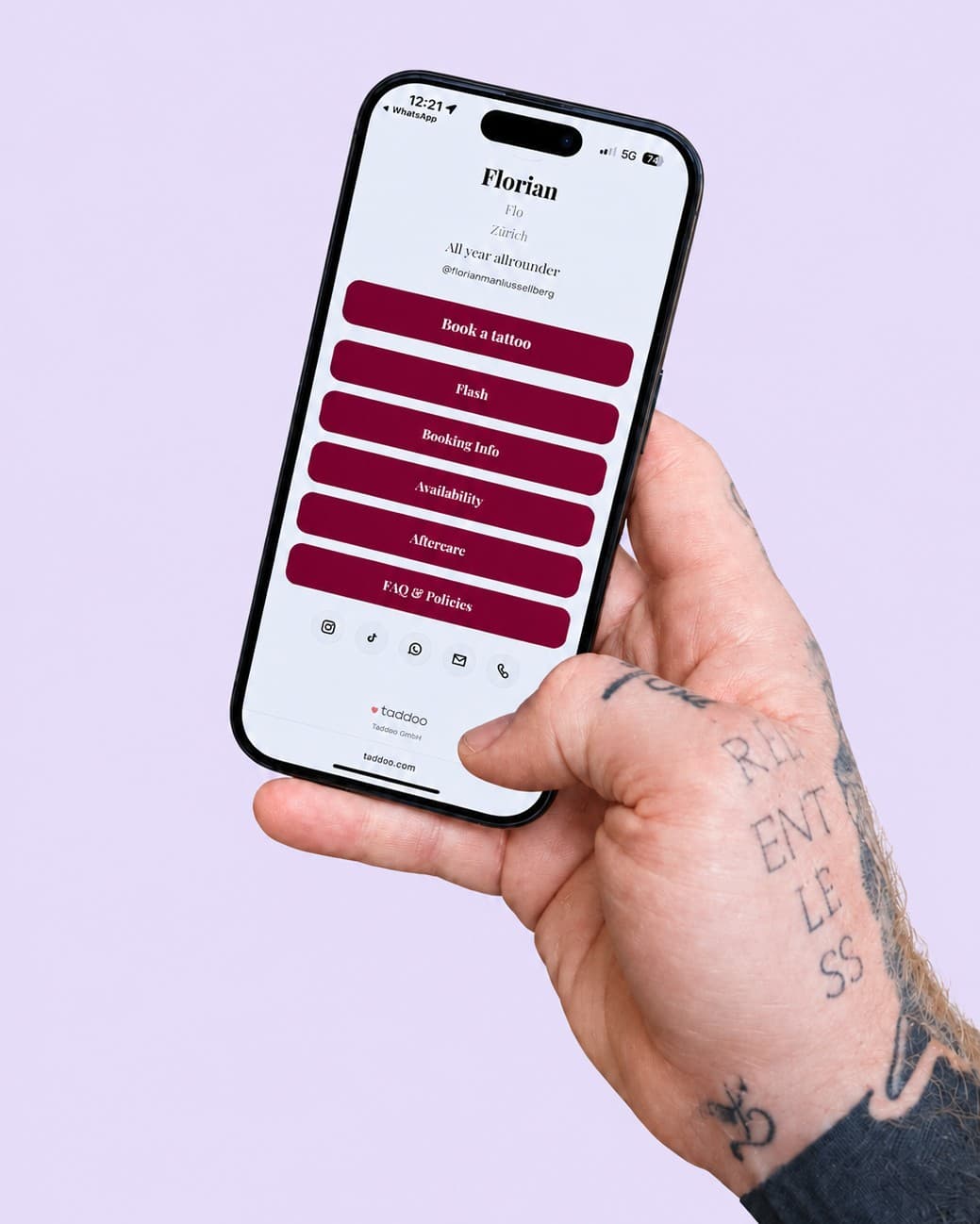

taddoo.com/@florian
Book a tattoo · Flash · Availability · 312 clicks
One link in your bio that does it all.
Your page at taddoo.com/@yourname replaces Linktree: book a tattoo, flash, availability, aftercare and social, all in your colour. Every request lands sorted in the app.
More about Link in Bio















































Consent signed
Mara K. · today 1:52 PM · PDF archived
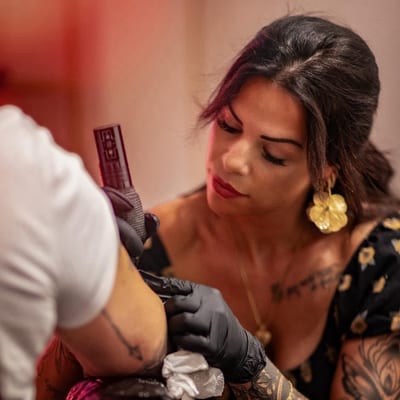
Consent, signed digitally.
Request it by QR or link, the client fills it in and signs with a finger, you countersign. The PDF sits archived in the client record. No more crumpled forms.
More about Consent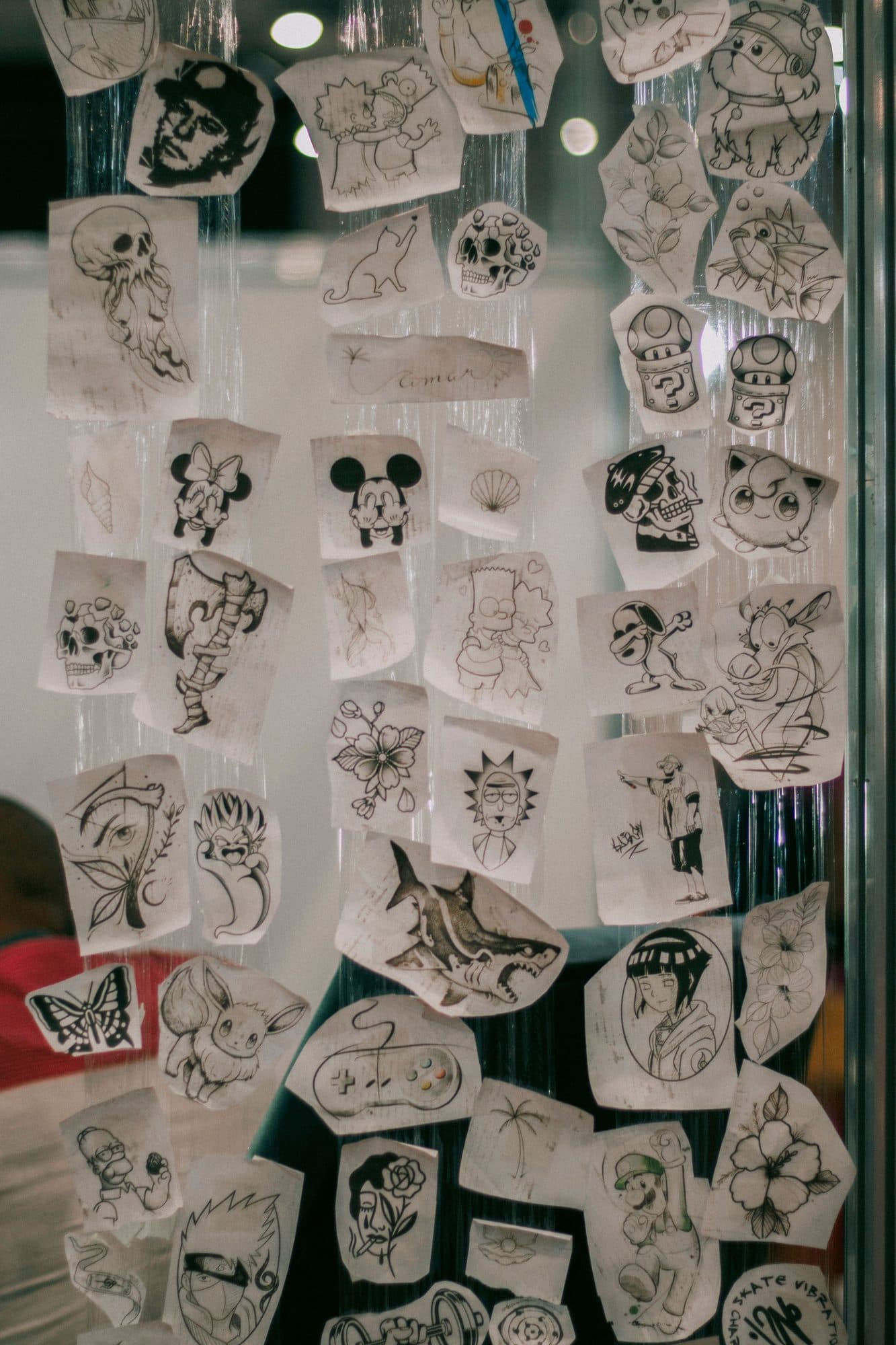
Flash booked
Snake, 9 cm · US$350 · Sat 14:00
Your flash page, bookable directly.
Part of Link in Bio
Upload your flash, set sizes with price and duration, done: the "Flash" button appears on your page taddoo.com/@yourname by itself. Clients pick a design, a size and a free slot, and pay the deposit. The appointment lands in your calendar, with the design as reference.
More about Flash
Deposit received
Mara K. · US$100 · appointment confirmed
Booking link with deposit.
You keep chatting personally on Instagram and WhatsApp. The link only handles the slot and the deposit, and the client lands in your list by itself. Confirmation and reminders go out automatically, by email or text.
More about Booking link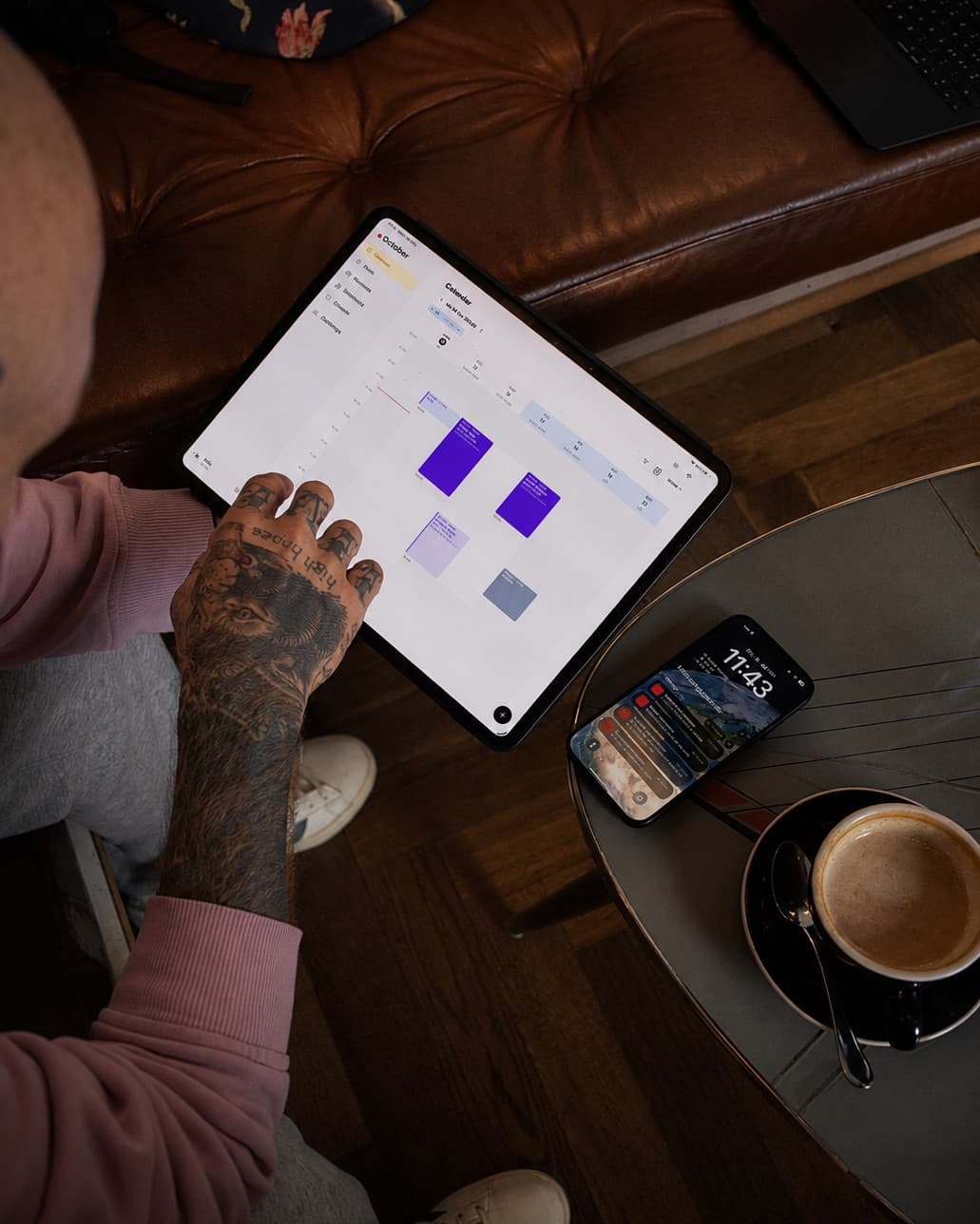
Tue 2:00 PM · Mara K.
Rose, forearm · US$1,000 · deposit US$380
A calendar that thinks along.
Price, deposit, client and reference image: filed neatly with every appointment. Time off, guest spots, retouch hours. Shows up in Google and Apple Calendar through a subscription and works offline.
More about Calendar
Payment approved
US$560 · Visa · booked right on the appointment
Card payments on your phone.
Client forgot cash? Tap a card or phone to your phone, done. No reader, no extra subscription. The payment lands right on the appointment and in your bookkeeping.
More about Tap to Pay
Mara K. · 6 appointments
@mara.ink · notes · 3 documents
The whole history of every client.
Booking history, notes, Instagram handle and a document archive by year, all in one place. Live search across name, email, phone and tags.
More about Clients
Receipt created
No. 2041 · US$1,000 · Mara K.
Bookkeeping that runs itself.
The app writes a receipt at every checkout by itself. Expenses you photograph: amount, date and merchant are read and filed. No deduction gets lost at tax time.
More about BookkeepingShop
Snake tee
US$45
Flash print
from US$37.40
Moth hoodie
US$85
Sticker pack
US$11
Original, ink
US$350
Moon print A3
US$50
Prints and shirts, sold right from your page.
Part of Link in Bio
A shop on your page taddoo.com/@yourname/shop: prints, T-shirts, hoodies, stickers and originals, with sizes, stock and shipping per country. Clients pay online by card, Apple Pay or Google Pay, the order arrives in the app with a push, and you ship it.
More about Merch page
Appointment created
from a screenshot · Fri 14:00
Tell Claude or ChatGPT, Taddoo gets it done.
Connect your AI assistant to Taddoo. Drop in a screenshot of a request, and the client, appointment and deposit link are done. Link in bio, working hours and receipts work with a sentence.
More about AI assistant
New request
via your website · just now
Your own website, connected to your app.
Built your website with Lovable, Bolt or v0? Your coding agent pulls flash, request form and free days live from Taddoo, and every request lands in your app.
More about Website APIYour account is yours
You change studios. Not the app.
With Taddoo the account belongs to the artist, not the studio. Clients, appointments, receipts, your link in bio and your numbers stay with you, wherever you are tattooing right now. A studio only links your account, and you decide what it sees.
Guest spot
Two weeks in Berlin: booking link, deposit and consent work like at home, with their own location and currency. Clients and receipts land in your account, not in someone else's studio.
New studio
Moving? Nothing to export, nothing to set up again. You end the link, the old studio sees nothing anymore, your history stays complete.
Your own studio
One day your own place: you add a studio account, link your artists and keep your app exactly as it is.
What artists tell us most often after switching: up and running in minutes, and it feels like a real app for the phone, not like a website in a shell.
In 26 languages, so the guest spot in Bangkok runs just like everyday life in Zurich.
We never sell your client data. We only use it to run Taddoo for you. It's in the contract
Why Taddoo
One app instead of ten tabs.
Everything App and App Pro can do, and what you no longer need because of it.
- Calendar, in sync with Google and Apple Calendar
Instead ofPaper planner, Google Calendar on its own, weekly schedule in Excel
- Client records with history, notes and documents
Instead ofExcel lists, notebooks, screenshots, endless scrolling through Instagram DMs
- Digital consent via QR, with signature
Instead ofPaper forms, ring binders, photos of signed sheets
- Expenses by photo, receipts on their own, revenue dashboard with forecast
Instead ofReceipt books, a shoebox full of receipts, Excel for the accountant, mental maths at month end
- Request form behind your link, requests land in the app as projects
Instead ofGoogle Forms, Typeform, DM ping-pong: Where? How big? When?
- Booking link with deposit, the appointment confirms itself
Instead ofCalendly, Acuity, slot suggestions by DM, chasing deposits on Venmo or PayPal
- Tap to Pay: take card payments right on your phone
Instead ofExtra card reader, trips to the ATM, "I'll Venmo you later"
- Automatic reminders by email or text, in your own voice
Instead ofManual "don't forget tomorrow" texts, empty chairs
- Link in bio with booking, availability, guest spots and waitlist
Instead ofLinktree, Wix, Squarespace, waitlists in Google Docs
- Flash page, every design bookable right away with a deposit
Instead ofFlash posts on Instagram, twenty DMs per design
- Free touch-up link, bookable only in your touch-up hours
Instead ofHaggling over touch-up slots by DM, retouches in the middle of the day
- Newsletters with templates and audiences by tag
Instead ofMailchimp, copy-paste stories to everyone
- iPhone, iPad, Android and Mac, offline too
Instead ofApp clutter, desktop-only tools, no signal in the studio basement
Almost all of it in App and App Pro, texts to clients come with App Pro. Fees only when you take payments through Taddoo.
Taddoo comparedYou choose how you get paid.
Both variants have the whole app. App Pro takes payments without Taddoo fees and adds texts to clients, booking links without a deposit and a page without the Taddoo logo. 7 days free, switch anytime.
Taddoo App
US$14per month, billed yearly
The whole app, usable completely free of fees. Only if you take payments through Taddoo (deposit in the booking link or Tap to Pay) does a small fee apply, which your client covers as a surcharge by default.
- All features of the app
- Booking link, deposits and Tap to Pay included
- Small fee per payment, covered by the client by default
Taddoo App Pro
US$25per month, billed yearly
The same app, but without Taddoo fees when you take payments. Worth it as soon as you take in a lot through deposits and Tap to Pay.
- All features of the app
- 0% Taddoo fees, Stripe only
- Send booking links without a deposit, too
- Your artist page without any Taddoo branding
- Text reminders to clients: 100 per month in the US/Canada, 20 to other countries
- What's up, Europe? WhatsApp reminders to clients coming soon
- Switch anytime, your data stays
Several artists in your studio?
The studio account links your artists' apps: day board with stations, shared calendar, requests forwarded to the right artist, every consent form in one place. Every artist keeps their own app. You create the studio account here on the website, then download the app and sign in with it.
US$30per month, billed yearly
More about Taddoo StudioTrusted by



FAQ
Common questions
Who is Taddoo for?
For self-employed tattoo artists first: with the Taddoo App or App Pro you have calendar, clients, requests, deposits, consent and bookkeeping in one app, and your account belongs to you, in every studio and on every guest spot. Taddoo Studio comes in when the artists of a studio use Taddoo and want to link their apps in the studio: day board, shared calendar, requests and consent forms in one place.
What does the app cost?
Taddoo App costs US$14 per month billed yearly (US$168 per year) or US$16 monthly, the first 7 days free, cancel anytime. If you take payments through Taddoo, a small fee per payment applies: on the deposit in the booking link your client covers it as a surcharge by default, on Tap to Pay you do by default, both switchable. Taddoo App Pro costs US$25 per month billed yearly (US$300 per year) or US$35 monthly, has the same features plus texts to clients and no Taddoo fees on payments. Paying yearly is up to 28% cheaper. All numbers and the fees for your country are on the pricing page.
Is there a Taddoo for studios with several artists?
Yes. Taddoo Studio is Taddoo's studio and team management, for US$30 per month billed yearly (or US$40 monthly) for the studio, 7 days free, with no cap on artists: a shared calendar of all artists, a day board with stations and floor plan, residents and guest artists, a front desk that enters walk-ins, appointments and consultations for artists who allow it, requests from the studio page and website routed to the right artist, every consent form signed in the studio in one place with a studio template and QR code, and the studio deal and revenue per artist as far as shared. It is artist first: every artist uses and pays for their own app, joins the studio account, decides what the studio sees and keeps everything when they move on. You create the studio account at taddoo.com/studio, then download the app and log in with it.
How does Tap to Pay work?
Your client holds their card or phone to your iPhone or Android phone, done. No card reader, no extra subscription. Visa, Mastercard, Apple Pay and Google Pay are accepted. The payment lands right on the appointment and in your bookkeeping. All it needs is a connected Stripe account.
Do I need a Stripe account?
Only if you want to take payments through Taddoo: the deposit in the booking link and Tap to Pay run through Stripe, connected in a few minutes. Calendar, clients, receipts, consent and reminders work without it. You then note the deposit yourself as before, Taddoo keeps it on the appointment.
What happens if a client doesn't pay the deposit?
Through the booking link the appointment is only confirmed once the deposit is paid; until then the slot is reserved for 15 minutes and released again without payment. If you enter an appointment yourself as reserved and send a deposit link, the link expires after the time you choose (48 hours by default, up to 7 days). If no payment comes in by then, Taddoo cancels the reserved appointment automatically, the slot is free again, and you get a push.
Can Taddoo send reminders by text?
Yes, with App Pro. The appointment reminder then goes to your clients by text as well as by email. Confirmation, reschedule notice, aftercare and your own messages go by email only. Only clients who agree get texts: in the US and Canada anyone can reply STOP, in other countries you withdraw the consent on the client. There are never marketing texts. Every month 100 texts in the US and Canada and 20 to other countries are included. For more, there are SMS packs: 100 texts for 15 CHF, and they never expire. If no texts are left, the reminder goes by email only. What's up, Europe? WhatsApp reminders are coming soon, included in App Pro.
Does the app sync with my Google or Apple Calendar?
Yes: your Taddoo appointments appear in Google or Apple through a calendar subscription, including private events you enter in Taddoo, and every change. The other way round, Taddoo pulls in up to three private calendars through an iCal address as busy times, so nobody books over your private plans. You book and edit in Taddoo, you see it everywhere.
Can I switch from another app or from paper?
Yes, usually in a quarter of an hour. Taddoo takes over the next three months from your phone calendar (on iPhone including Google, Outlook and Exchange) and recognises client names in the titles, imports appointments with contacts from Calendly and existing clients from a CSV file. Private calendars keep blocking your time through an iCal address.
Can my clients pay in instalments, for example with Klarna?
Yes. Deposits, gift vouchers and the rest after the session run through Stripe, where your clients pay by card, Apple Pay, Google Pay or Klarna, for example in three interest-free instalments. You get the full amount right away and Klarna carries the risk. At checkout you show the payment link as a QR code or send it on WhatsApp. Klarna is available with Stripe accounts in Switzerland, the EU, the UK, the US, Canada and Australia.
I tattoo and do piercings or tooth gems on the side. Does that work too?
Yes, as an add-on. Taddoo stays the app for tattoo artists; if you pierce or set tooth gems on the side, you switch the treatment on under Settings and get its own consent form, its own booking button on your artist page with deposit or prepayment, and its own aftercare notes. Appointments work like tattoo appointments, just with fewer fields. If you only tattoo, none of it shows.
Does the app run on Android and Mac?
Yes: iPhone, iPad and Android from the stores, on the Mac via the App Store. The app works offline and syncs by itself as soon as you are back online. One account, the same data on every device.
Download the app and get started.
7 days free, you are only charged afterwards. Cancel anytime. On iPhone, iPad, Android and Mac.